Chrome extension · by Vistai

Orba Companion

Your AI pal for active learning

Turn lectures into real understanding, quizzes when topics end, summaries on demand, and answers grounded in the video you are watching.

Summarise this lecture on machine learning…

Press enter to add Orba Companion to your browser

How it works

Four steps to learn
like you mean it.

01

Open a sidebar, nothing else changes

Orba Companion lives in a Chrome side panel beside whatever you are already watching. Pin the extension, open the panel, and you get a calm companion UI, not a full-screen takeover, not a new tab. Your lecture page stays exactly where it is.

  • One click to open the side panel
  • Works alongside your existing workflow
Orba side panel
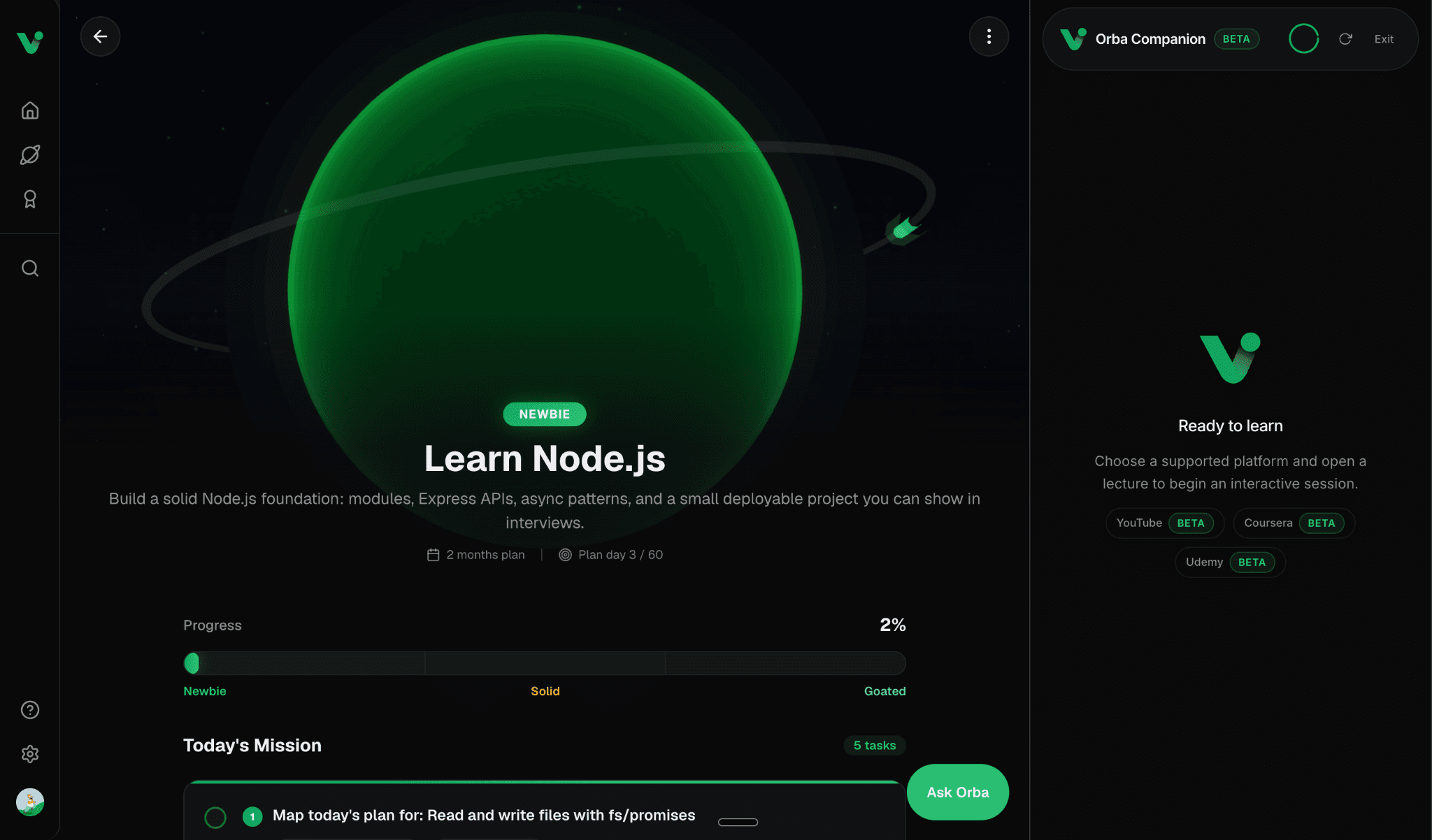
Orba Companion side panel ready to learn

Just a sidebar — your page stays open
02

Start a session. Summarise. Ask.

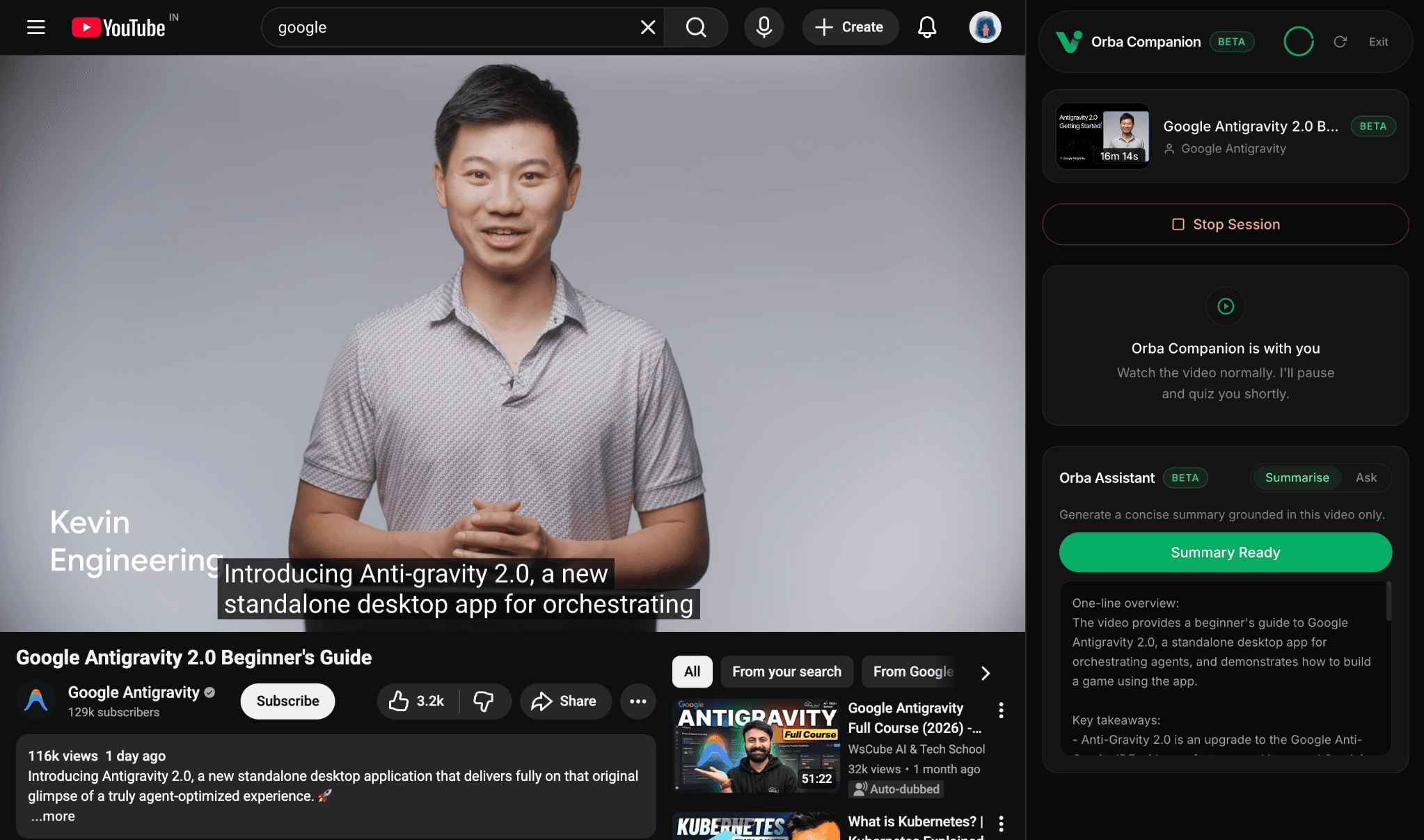
Open the extension on a lecture and click Start Learning. Orba reads captions, follows the video with you, and keeps the assistant ready to generate a concise summary grounded in that video only, or ask anything about what you just heard.

Start LearningSummariseAsk
Orba Companion session on YouTube with summary ready
03

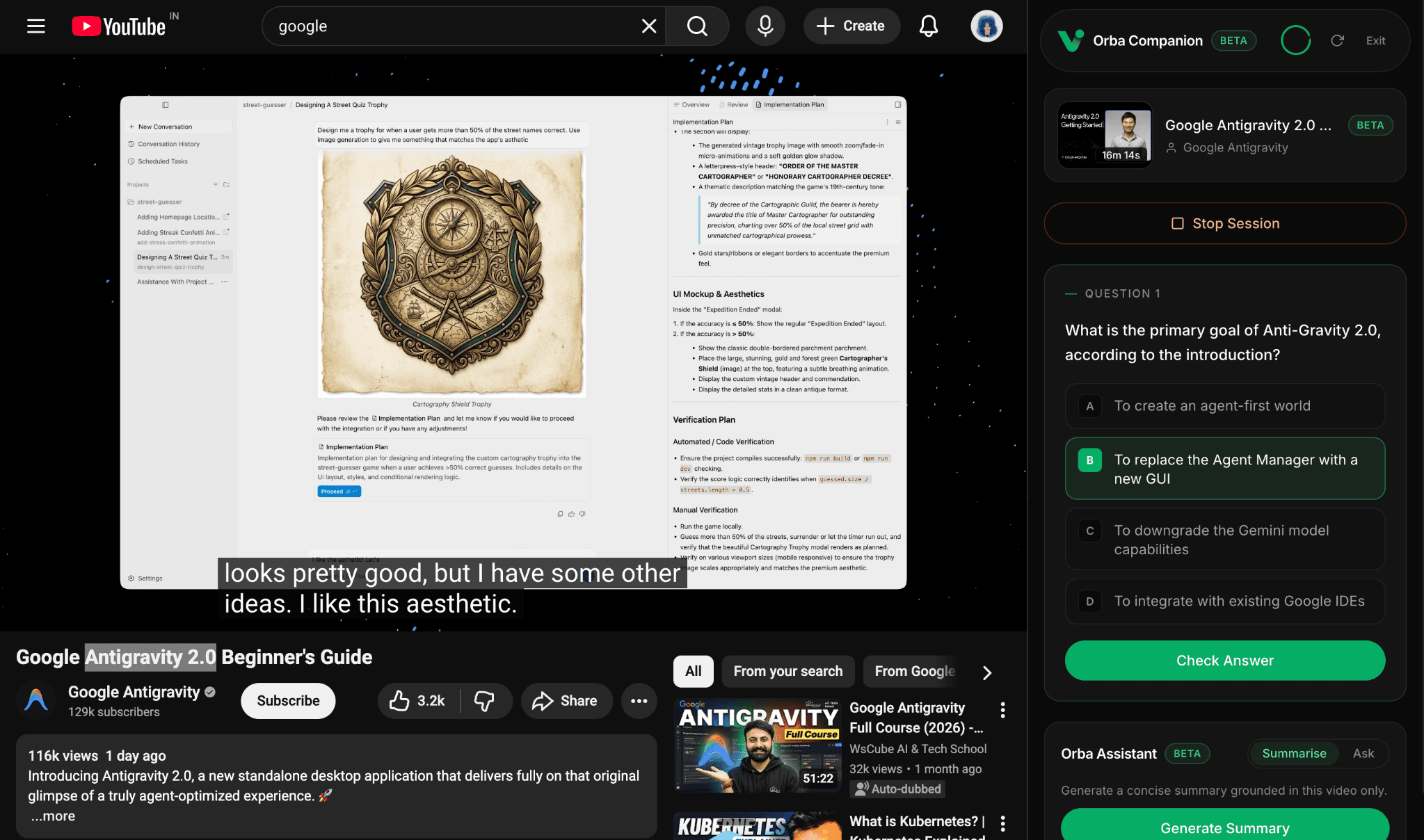
Paused for a quiz, like a real teacher

When a topic naturally ends, Orba pauses your video and asks a quick question. Not to interrupt your flow for no reason to check whether you actually understood the idea, and to help you connect the dots before the lecture moves on.

Answer, get feedback, continue watching. Active learning, not passive scrolling.

Orba Companion quiz pausing YouTube video
04

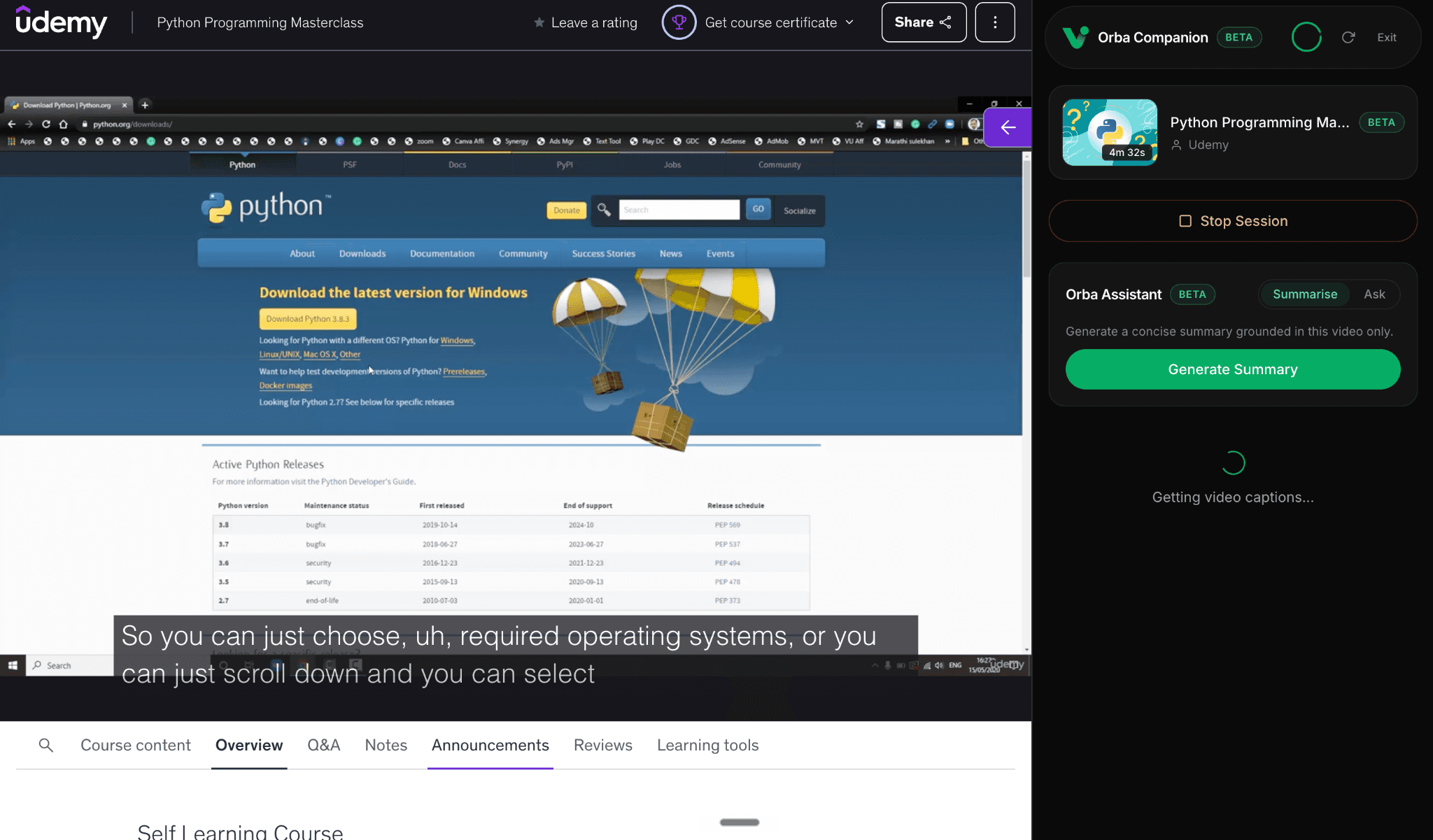
Three platforms. Beta today.

Orba Companion is in Beta on the learning sites you already use. Open a lecture, enable captions where needed, and the same side panel experience follows you across every supported platform.

YouTubeBetaCourseraBetaUdemyBeta

Enable subtitles on Coursera and Udemy for the best caption coverage.

Orba Companion on Udemy with supported platforms
FAQ

Questions about
Orba Companion.

Everything you need to know about learning actively with Orba.

Orba Companion is a Chrome side panel that turns passive video watching into active learning. It works beside lectures on YouTube, Coursera, and Udemy — pausing at natural topic boundaries, quizzing your understanding, and helping you summarise or ask questions grounded in the video you are watching.

Orba Companion is built by Vistai, the AI execution OS for growth. While Vistai's Ask Orba coach helps you with daily missions and goals inside the app, Orba Companion is your personalised AI pal beside video lectures — focused on retention, quizzes, and in-context answers while you watch.

Orba Companion is in Beta on YouTube (education and tutorial videos), Coursera, and Udemy. Enable subtitles or closed captions on Coursera and Udemy for the best caption coverage. We are expanding support and improving coverage during Beta.

Add Orba Companion to Chrome, pin the extension, sign in with your Vistai account at vistai.site, open a supported lecture, and click Start Learning in the side panel. Your lecture page stays open — Orba lives in a sidebar, not a new tab.

When a topic naturally ends, Orba pauses the video and asks a quick question — like a real teacher checking whether you understood before moving on. Answer, get feedback, and continue watching. It is designed to keep you engaged, not to interrupt you on a timer.

Summarise generates a concise overview of the current video, grounded in that lecture only. Ask lets you type a question about what you are watching and get a contextual answer. Both work best after you start a learning session on a lecture page.

How much you can learn with Orba Companion each day depends on your Vistai plan. Free accounts get a limited allowance; paid plans unlock more. Your usage and progress stay tied to your Vistai account when you are signed in.

Orba is free to use in a limited way. To get the maximum capabilities, choose a plan on Vistai's pricing page.